

What is KSS Book?
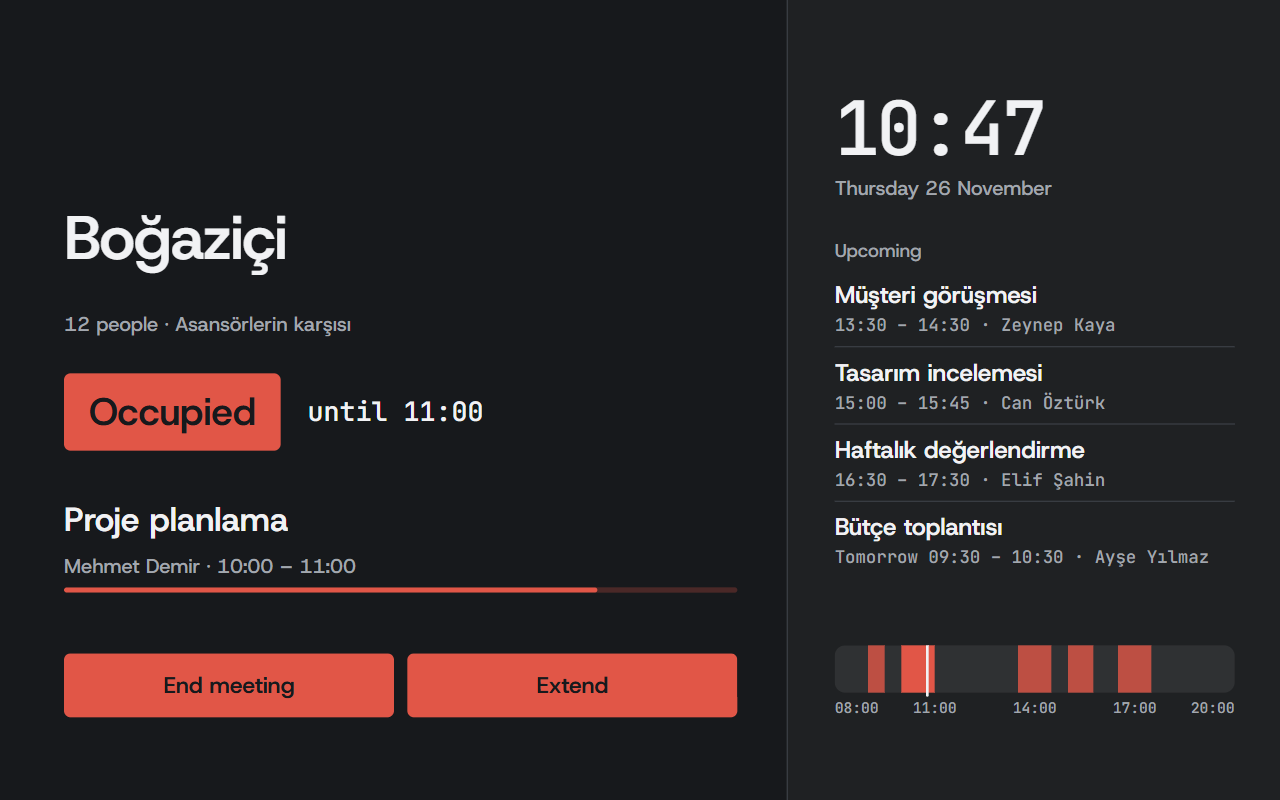
KSS Book is a meeting room booking and door display platform. Tablets next to the rooms show each room's current status, the day's schedule and the next meetings. Employees can book a room right away, check in, end or extend a meeting on the display.
KSS's own team installs and configures KSS Book for your organization. This documentation is for the administrators and employees who use the product after that.
Two addresses
| Address | For whom |
|---|---|
https://book.kozteknoloji.com.tr/ | Admin panel and booking portal: administrators and employees |
https://book.kozteknoloji.com.tr/display/ | Door display and lobby display: the tablets next to rooms |
In this documentation https://book.kozteknoloji.com.tr stands for your organization's KSS Book address. The KSS team tells you your own address.
What can you do?
- Door displays: Available, Occupied and Awaiting check-in for every room, the day's timeline and the next meetings. Book now, check in, end early and extend on the display; optional PIN.
- Calendar: all rooms in one calendar with day, week and month views. Create, move and resize bookings by dragging; recurring bookings.
- Booking portal: employees find a free room with Find a room, book it in their own name and manage it under My bookings.
- Calendar connections: two-way sync with Microsoft 365, Google Workspace or on-premises Exchange Server room calendars.
- Check-in and room release: when nobody checks in, the room is freed after the time you choose.
- Booking rules and holidays: longest booking, booking ahead, bookings per person and day, restricted rooms, working hours and Turkish public holidays.
- Designs: change the door display's look in a drag-and-drop editor.
- Lobby display: the live status of many rooms at the entrance or on a floor.
- QR room page: whoever scans the code at the door sees the room's schedule on their phone.
- Reports: utilization, no-shows, busy hours and CSV.
- Security and data protection: sign in with Microsoft, two-step verification, audit log, retention periods, privacy notice, data export and erasure.
- Developer API: room and booking operations from your own systems, webhooks.
The admin panel and the door displays are available in Turkish and English. The language is chosen on the Organization card of the Settings page.
Next steps
- First sign-in: sign in with your account and finish the setup guide.
- Tour of the panel: see what each page in the menu is for.