

Security and data protection
Sign-in security
- Sign in with Microsoft: employees sign in with their Microsoft 365 accounts; optional automatic joining and Microsoft-only sign-in (Users and roles).
- Two-step verification: an authenticator app and single-use recovery codes; the owner can make it required for administrators and owners (Two-step verification).
- Account lockout: after 10 wrong passwords or codes in a row, the account cannot sign in for 15 minutes.
- Stored credentials (Microsoft 365 secrets, Google keys, the Exchange password) are kept encrypted and never shown in the panel again.
Audit log
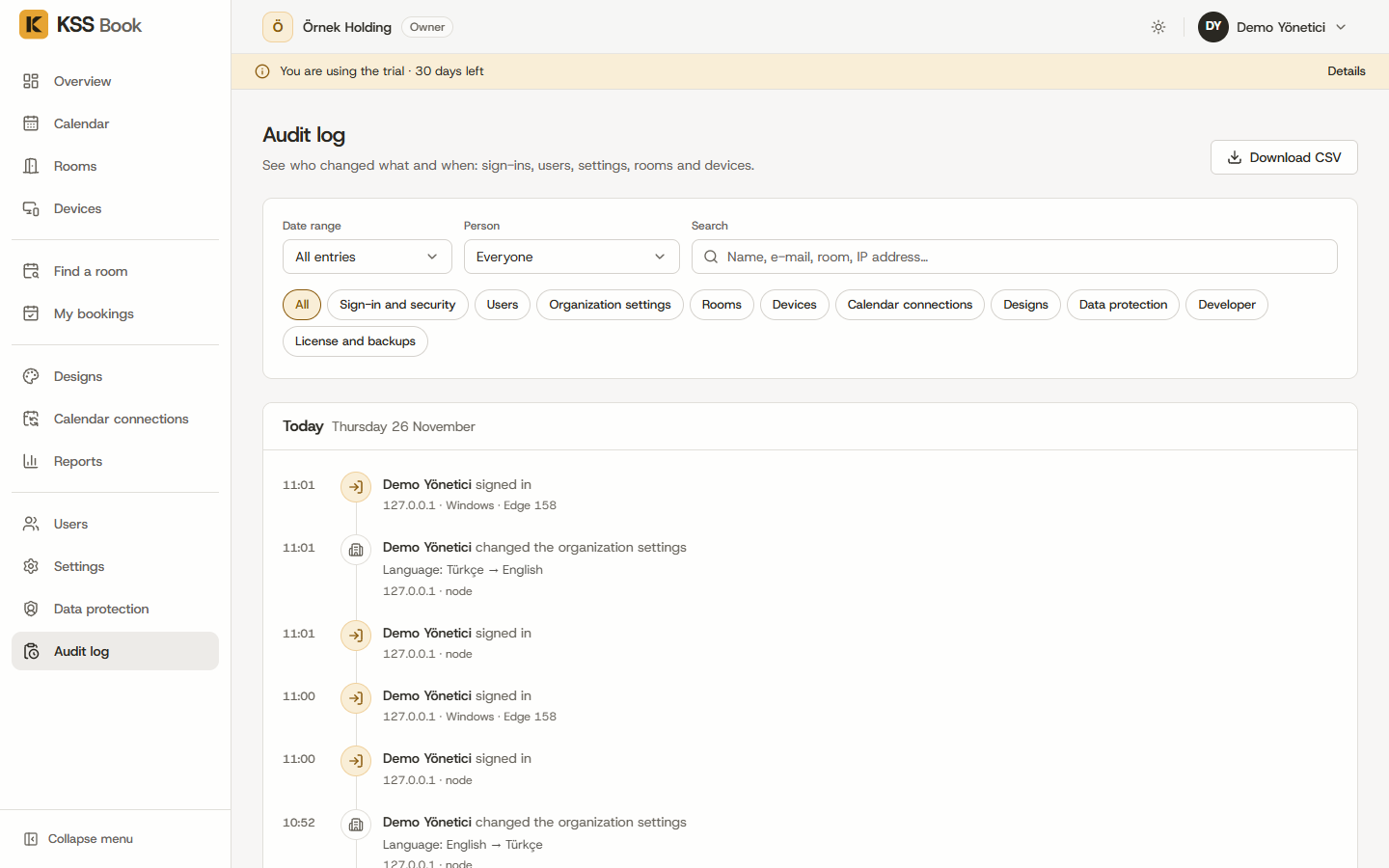
The Audit log page (administrators and owners) lists sign-ins (including failed attempts) and changes to users, settings, rooms, devices, calendar connections and designs: who did what, when and from which IP address, with the old and new values of changed fields. Entries can be filtered and exported with Download CSV.
Data protection tools (KVKK)
KSS Book provides tools for the obligations of organizations under Turkey's Personal Data Protection Law No. 6698 (KVKK): retention periods, a privacy notice, people downloading their data, erasing a person's data and a personal data inventory. Your organization is the data controller; you set the periods and the texts. These tools alone do not make you compliant; use them together with your own policies and legal team.
Only the owner can change the settings on the Data protection page.
Retention periods
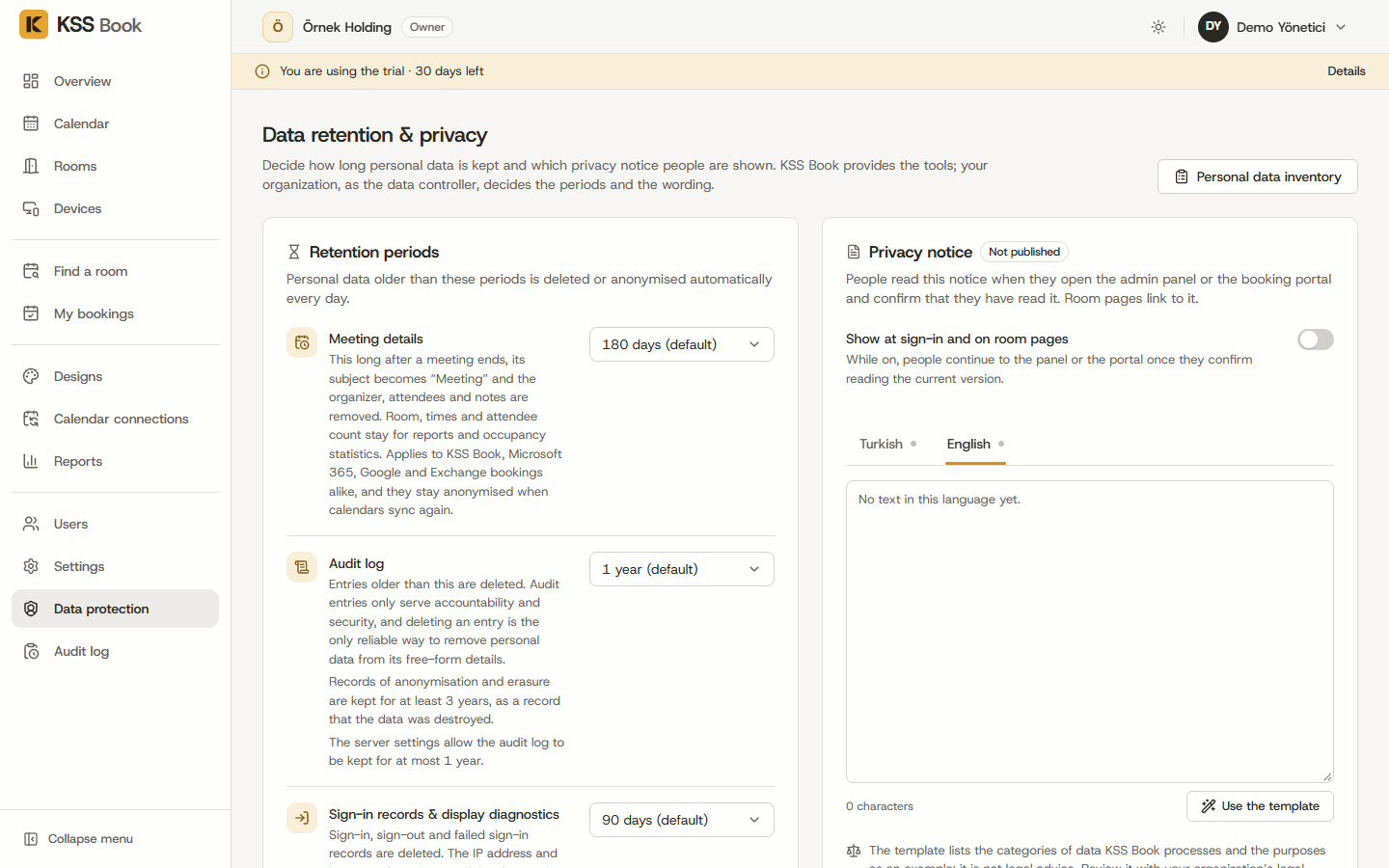
The owner sets four periods. The rules run once a day by themselves, in the organization's time zone. The preview on the page shows how many records the next run will change.
| Rule | Recommended | When the period ends |
|---|---|---|
| Meeting details | 180 days | The subject becomes “Meeting”; organizer, attendees and notes are removed. Room, times and number of attendees stay for reports. “Never” is possible. |
| Audit log | 365 days | The entry is deleted. |
| Session records and device diagnostics | 90 days | Sign-in, sign-out and failed sign-in records are deleted; IP address and browser of old sessions and diagnostics of long-silent displays are cleared. |
| Users removed from the organization | 30 days | The person's bookings are anonymised; the account is deleted unless it belongs to another organization. |
- New organizations start with the recommended periods. If the periods have not been confirmed yet, no rule runs; start them with Confirm the recommended periods.
- The meeting rule applies to KSS Book, Microsoft 365, Google and Exchange bookings alike. An anonymised meeting stays anonymous when it is read again from the calendar.
- Every run is written to the audit log. Records of retention runs and erasure requests are kept for at least 3 years.
- The longest period you can choose for the audit log is set by your installation.
- Anonymisation cannot be undone.
- Deleted or anonymised data remains in older backups until those backups rotate out.
Privacy notice
The owner writes the Turkish and English privacy notice and publishes it with Save and publish. Use the template gives a starting text filled in with the organization's name and current periods; have your legal team review sections such as the legal grounds, contact address and transfers before publishing.
- With Show at sign-in and on room pages on, the notice appears on the first visit to the admin panel and the booking portal; the app opens after the person confirms they have read it. This is not consent, but a record that the notice was read: who read which version and when.
- When the text changes, a new version is created and everyone is asked to read it again.
- The QR code room pages link to the notice.
Download my data
Every user can download a copy of the records about them with Download my data in the user menu: a JSON file and a readable summary (HTML). It contains the account details, organization memberships, bookings, sessions, the privacy notices they read and audit log entries about them; other people's details are left out.
Administrators can download the same file for a person with Export their data in the person's Personal data (KVKK) menu on the Users page; every download is recorded.
Erasing a person's data
Administrators use Erase their personal data in the person's Personal data (KVKK) menu on the Users page, with a reason:
- Bookings the person organized keep their room and time; the organizer becomes “Anonymous” and the subject and notes are removed. The person is removed from attendee lists of other bookings.
- In the audit log the person's name, e-mail, IP address and browser are removed; the actions stay.
- Their sessions are ended. The account is deleted unless it belongs to another organization.
- The last owner cannot be erased; administrators cannot erase owners. It cannot be undone and is written to the audit log with its reason.
- In a connected calendar (e.g. Microsoft 365), meetings the person creates later come in from the calendar as they are; the data in the calendar system is your organization's own responsibility.
Personal data inventory
The Personal data inventory on the Data protection page lists the data categories, their purposes, current retention periods, where they are kept and how many records there are; Print gives a printout. It helps with the VERBİS registration and your own inventory but does not replace them.
Clearing test data
Before going live, the owner can delete demo and test bookings with Delete all bookings on the Clear test data card of the Settings page. Type the organization's name to confirm; it cannot be undone. Rooms, displays, designs, connections and users stay as they are.