

Booking rules and holidays
Booking rules
The rules are on the Booking rules card of the Settings page and apply to rooms on the KSS Book calendar. For Microsoft 365 rooms, Outlook applies the rules.
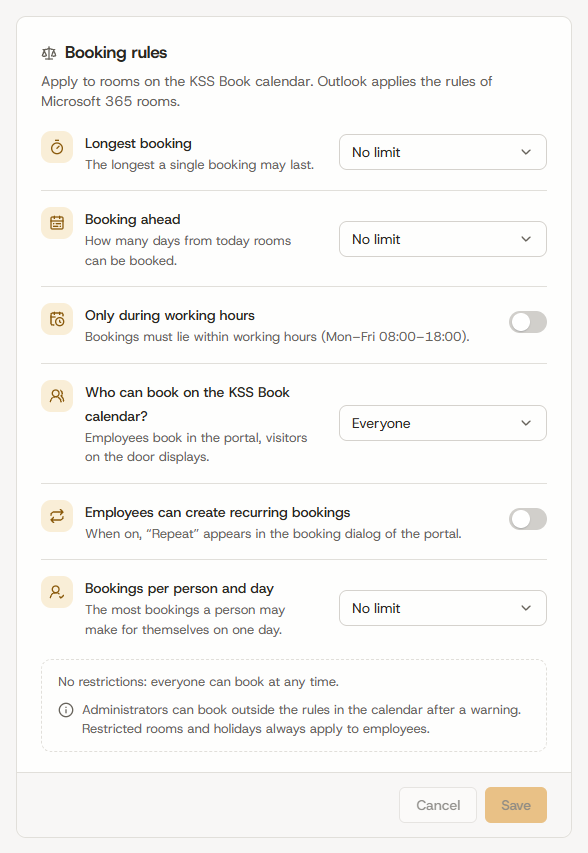
| Setting | Meaning |
|---|---|
| Longest booking | The longest a single booking may last |
| Booking ahead | How many days from today can be booked at most |
| Only during working hours | Bookings must stay within working hours |
| Who can book on the KSS Book calendar? | Everyone or Administrators only |
| Employees can create recurring bookings | When on, Repeat appears in the portal's booking window |
| Bookings per person and day | The most bookings one person can make in their own name for one day |
- With Administrators only, instant booking on door displays is off too.
- Room-specific settings are in the Booking rules section of the room's Calendar tab: Restricted room and a room-specific Longest booking (Room settings).
- Administrators can book outside the rules in the calendar after a warning (Save anyway). Restricted rooms and holidays always apply to employees.
- Bookings made through the Developer API follow the same rules.
Working hours
Working days and hours are set on the Working hours card of the Settings page. Utilization, night mode and offline display alerts use these hours too.
Holidays and closures
Days on the Holidays and closures card do not count as working hours: door displays go to night mode, utilization and display alerts skip them, and employees cannot book.
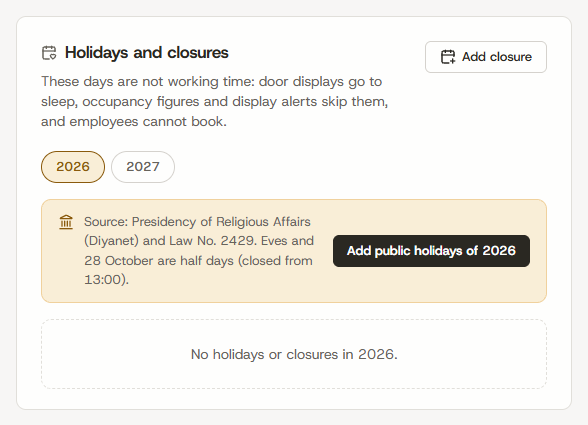
- Add Turkey's public holidays with Add public holidays of <year> (source: the Presidency of Religious Affairs and Law No. 2429). Holiday eves and 28 October are half days (closed from 13:00).
- Add a day or date range of your own with Add closure (e.g. a company picnic). With Half day, the first day is closed from the given time.
If employees cannot book
- Administrators only may be chosen for Who can book on the KSS Book calendar?
- The room may be a Restricted room.
- The day may be on the Holidays and closures list.
- The person may have reached the daily limit, or the requested length exceeds the Longest booking.